Desktop Required
This tutorial interface is designed for desktop and laptop computers only. Please open this page on your laptop or desktop computer to continue.
The tutorial requires screen space to display the guide alongside the screenshots.


Start Building
Development Phase
Task Management
Testing & Inspection
Live Demo
Start Building
Start your Replit project and set up the basic structure
Step Overview
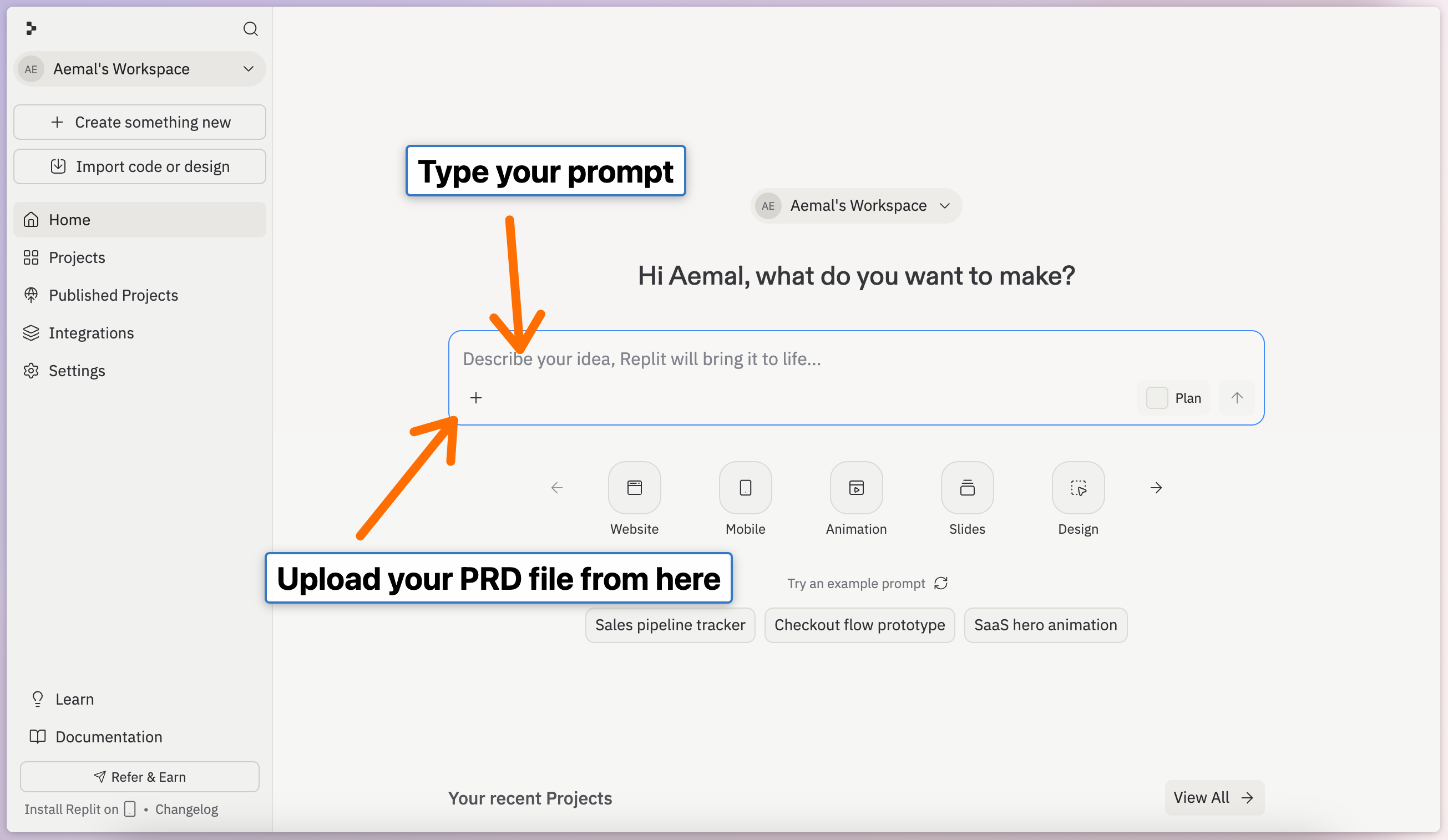
Create a new project in Replit, set up your workspace, and understand the development environment. This step shows you how to upload a PRD file and begin project planning. In this example, we'll build a job portal application, but you can adapt these steps for any web application.
Next: Development Phase (Optional)
Screenshots & Examples
What you'll see in this step:
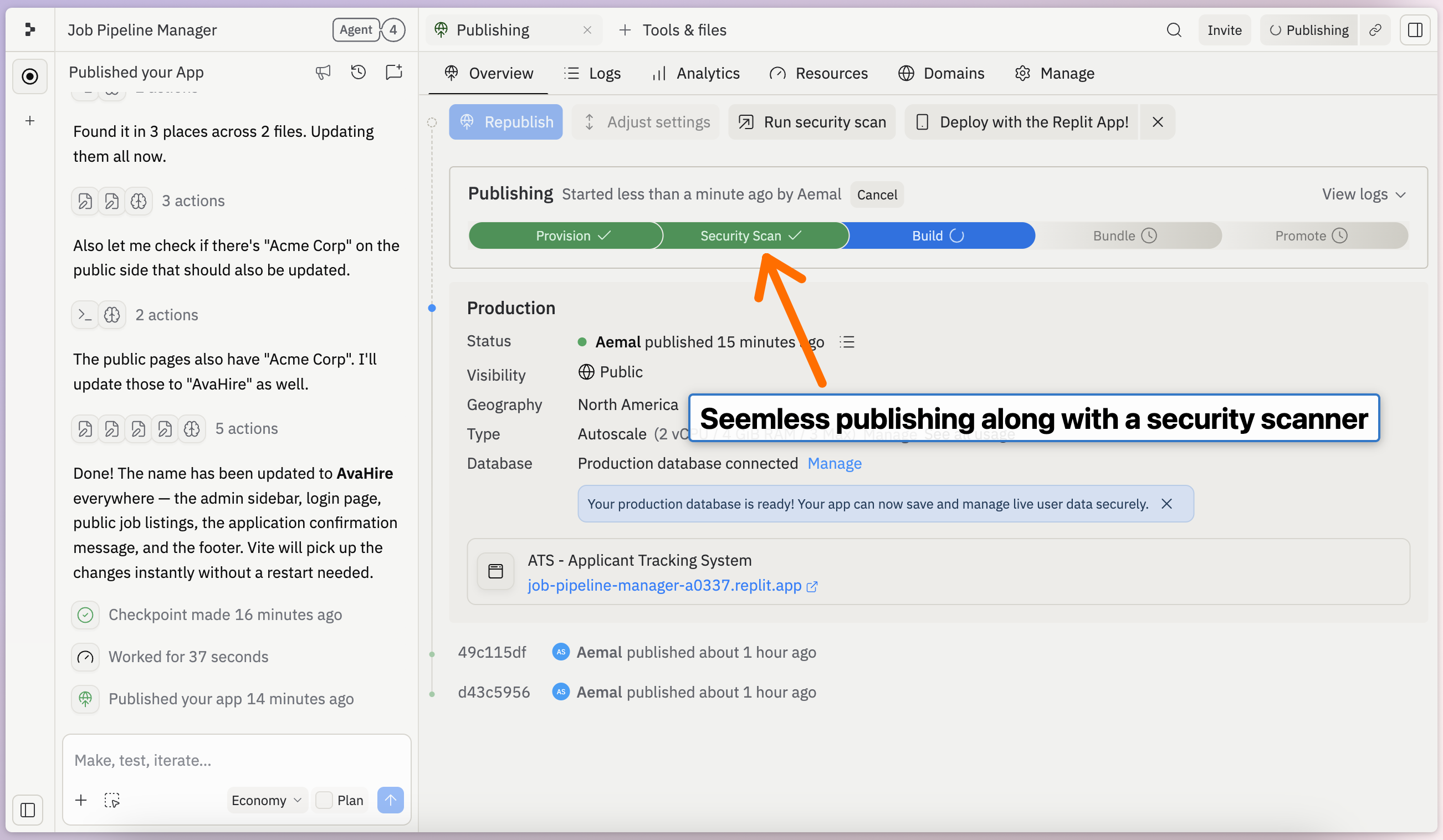
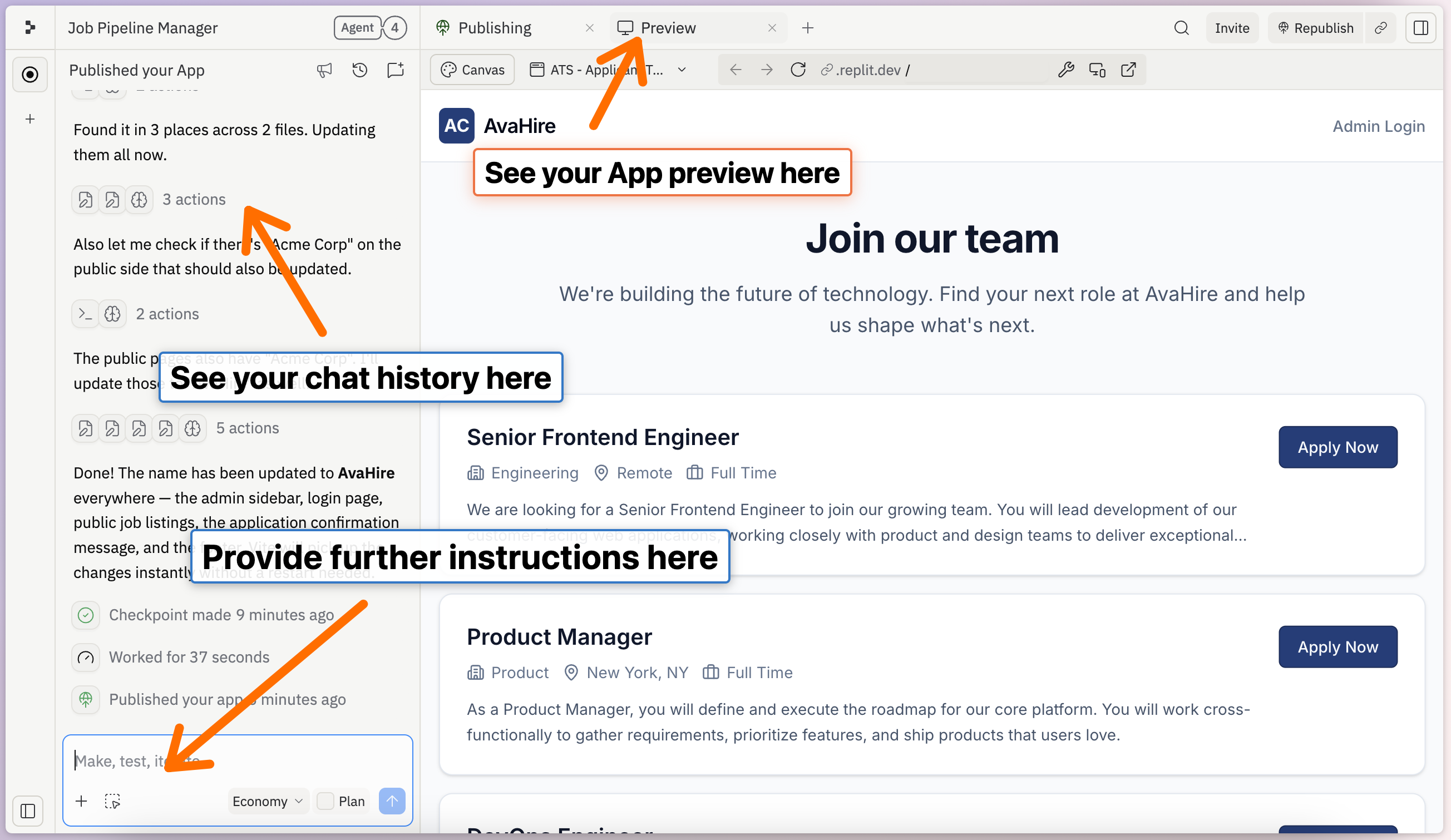
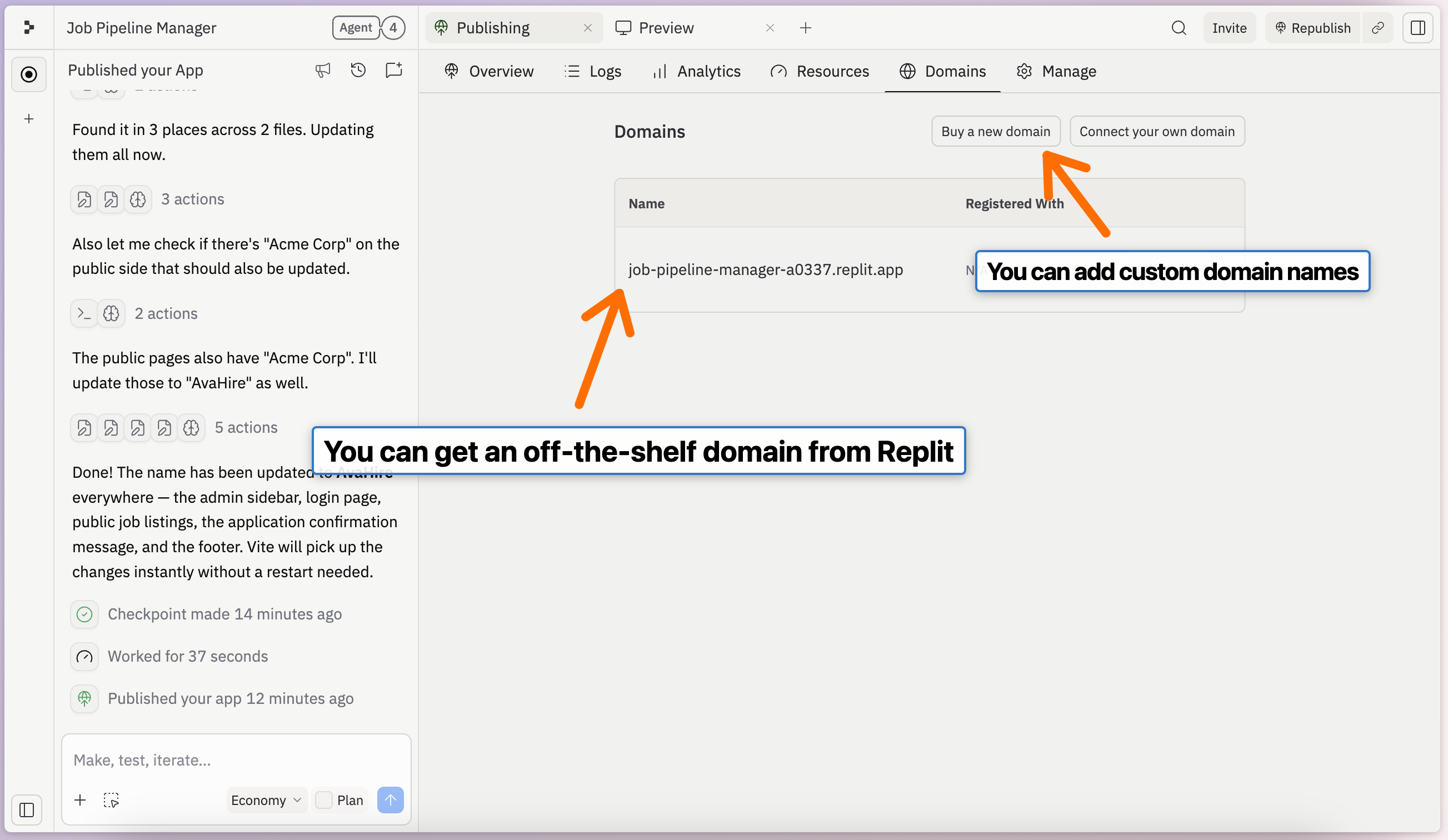
The screenshots below show the Replit workspace interface, project creation flow, PRD file upload process, app preview dashboard, deployment settings, database setup wizard, and security configuration tools.
Create Project & Upload PRD
App Preview Interface
Production Deployment Options
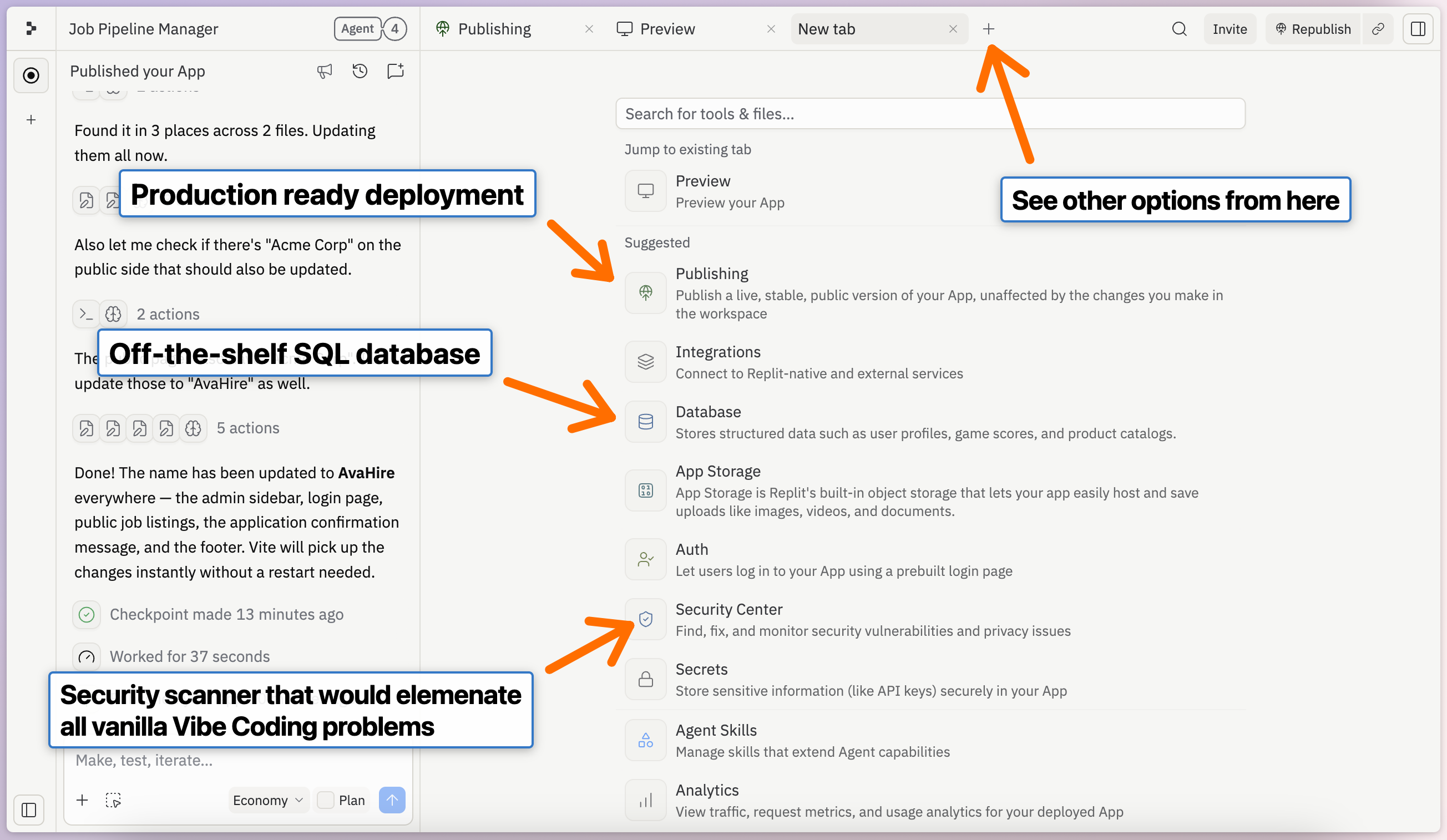
Database Configuration
Security Scanner Setup